Docs / Your account
Your profile and password
Your profile is your own: your name, the email you sign in with, and your password. It's the same in every organization you belong to. Open it from the account menu (your initials, top right) › Your profile.
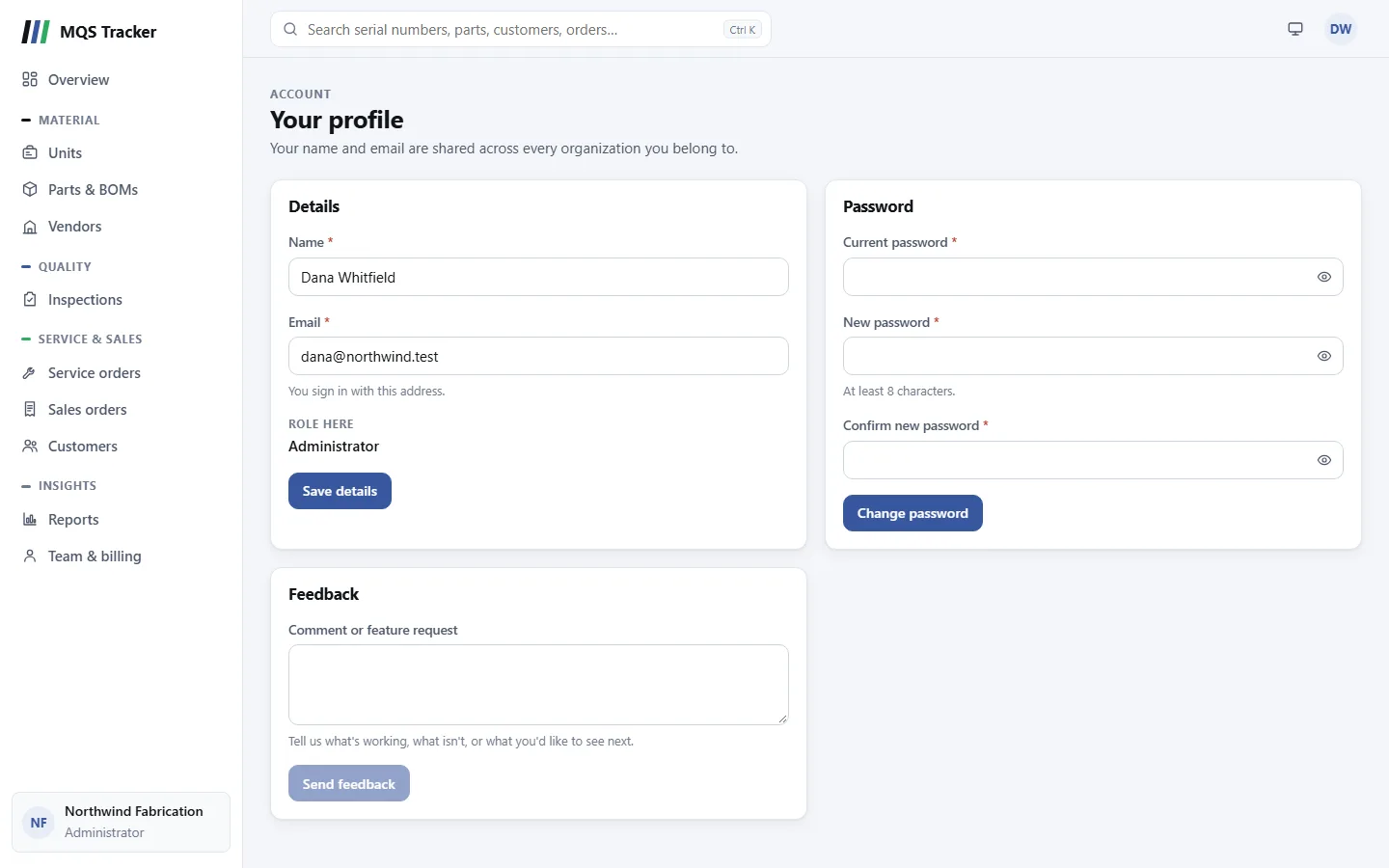
Details
- Name and Email are both required. You sign in with this email.
- Changing your email: we send a link to the new address, and your email changes once you open it. Until then you keep signing in with the old one, so a mistyped address can't lock you out. The link expires in 24 hours.
- Save details saves them, and the account menu shows the new name straight away.
- An email someone else uses can't be taken: you'll see "Email is already being used and cannot be added."
- Role here shows whether you're an Administrator or a Member of the organization you're in. Only an administrator can change it, from Team & billing.
Changing your password
- Enter your Current password, then a New password of at least 8 characters, and again in Confirm new password.
- Change password saves it. The new password has to be different from your current one.
- Wrong current password? You'll see "Your current password is incorrect." Wrong guesses here count toward the sign-in lockout (5 in a row locks your account for 15 minutes).
- Any reset links you'd requested stop working once you change your password.
- Forgotten your current one? Sign out and use Forgot password? on the sign-in page. See Getting started.
Feedback
The Feedback card is the quickest way to tell us what's working, what isn't, or what you'd like to see next.
- Type in Comment or feature request (up to 2,000 characters) and choose Send feedback.
- You've sent lists your earlier feedback, newest first, with the date of each.
- Feedback goes to the MQS Tracker team. For a question or problem you'd like an answer to, email us too. See Getting help.
About MQS Tracker
The account menu › About MQS Tracker shows:
- Version: the version of the Web app and the API. It's useful to include when you contact support.
- Legal: the Privacy Policy, the Terms of Service and the Paddle Buyer Terms (billing is handled by Paddle, our merchant of record).
- Contact: support@mqstracker.com and the product website, www.mqstracker.com.
Your profile and About stay open to you even when your organization's subscription isn't active, so you can still change your details and password and send feedback.